



What Is Mongobleed?
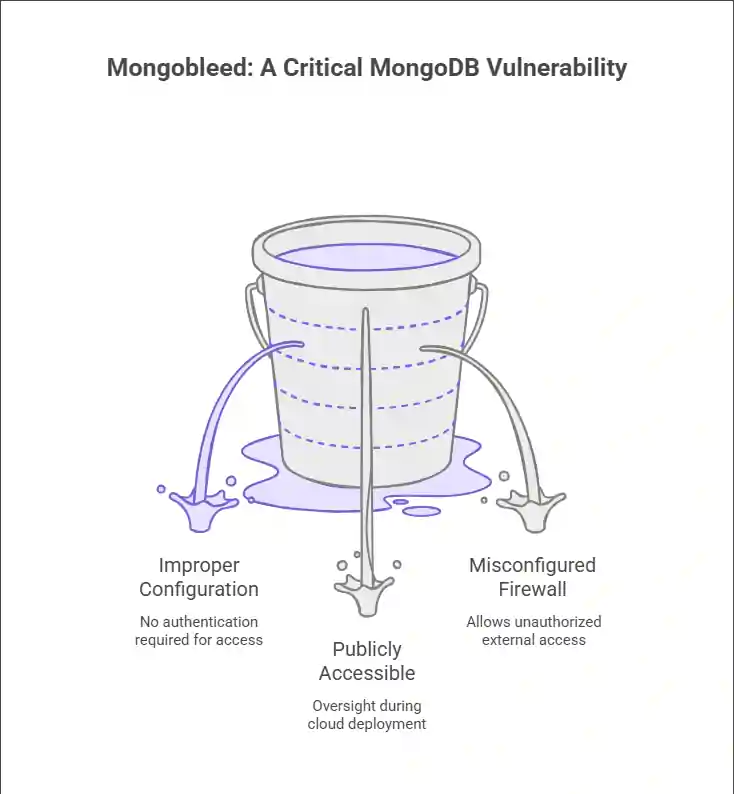
In early 2026, cybersecurity researchers disclosed a critical vulnerability affecting misconfigured MongoDB instances, dubbed “Mongobleed.” Unlike traditional exploits that rely on code-level flaws, Mongobleed stems from improper database configurations—specifically, MongoDB servers exposed to the public internet without authentication.
This vulnerability allows attackers to read, dump, or even delete entire databases without credentials, leading to massive data breaches, ransomware incidents, and service disruptions.
While MongoDB has long warned users about the dangers of open deployments (since at least 2017), thousands of instances remain publicly accessible—often due to oversight during cloud deployment or misconfigured firewall rules.
Introducing the Mongobleed Detector Tool
To combat this growing threat, a team of open-source security researchers has released the Mongobleed Detector Tool, a lightweight, command-line utility designed to scan networks or IP ranges for MongoDB instances vulnerable to data exposure.
Key Features:
- Scans for MongoDB instances on default (27017) and custom ports
- Detects if authentication is disabled
- Identifies publicly exposed databases without firewall protection
- Provides clear remediation guidance
- Supports both IPv4 and IPv6 scanning
The tool is open-source, available on GitHub under the MIT license, and can be integrated into CI/CD pipelines or used by security teams during infrastructure audits.
“Mongobleed isn’t a zero-day — it’s a configuration failure amplified by scale,” says Elena Ruiz, lead developer of the Mongobleed Detector. “Our goal is to make detection so easy that no organization has an excuse not to check.”
Real-World Impact of Mongobleed
In late 2025, a healthcare startup lost over 12 million patient records after an unprotected MongoDB instance was discovered via Shodan. The attacker not only exfiltrated data but also left a ransom note demanding cryptocurrency for its return.
Similar incidents have affected:
- E-commerce platforms (customer PII and payment logs)
- IoT device manufacturers (device telemetry and user credentials)
- Government contractors (unclassified but sensitive project data)
According to Shodan and Censys data, over 45,000 MongoDB instances remain publicly accessible without authentication as of Q1 2026.
What to Do If You’re Affected
If your organization uses MongoDB, follow these immediate steps:
1. Run the Mongobleed Detector
Download the tool from its official GitHub repository:
Bash
git clone https://github.com/sec-research/mongobleed-detector.git
cd mongobleed-detector
python3 detect.py –range 192.168.1.0/24
Replace the IP range with your internal or cloud network segment.
2. Enable Authentication
Ensure your mongod.conf includes:
yaml
security:
authorization: enabled
Then create strong admin and application-specific users via the mongo shell.
3. Restrict Network Access
- Bind MongoDB only to private IPs (bindIp: 127.0.0.1,10.0.0.5)
- Use cloud security groups or firewalls to block inbound traffic on port 27017 from the public internet
- Never deploy MongoDB in “public mode” on AWS, Azure, or GCP without VPC isolation
4. Audit & Monitor
- Enable MongoDB auditing (auditLog) to track access
- Integrate with SIEM tools like Splunk or Wazuh for anomaly detection
- Schedule quarterly configuration reviews
5. Rotate Credentials & Assess Breach Impact
If you confirm exposure:
- Assume data was exfiltrated
- Rotate all application secrets and API keys
- Notify affected users per GDPR/CCPA requirements
- Engage a digital forensics team
Preventing Future Mongobleed Incidents
- Use Infrastructure-as-Code (IaC) securely: Validate Terraform or CloudFormation templates with tools like Checkov or tfsec.
- Adopt Zero Trust: Treat every internal service as potentially hostile—enforce least-privilege access.
- Automate Scans: Integrate Mongobleed Detector into your DevSecOps pipeline to catch misconfigurations pre-deployment.
Final Thoughts
Mongobleed is not a flaw in MongoDB itself—it’s a symptom of poor security hygiene in the cloud era. The release of the Mongobleed Detector Tool empowers organizations to take proactive control before attackers do.
Don’t wait for a breach. Scan today. Secure tomorrow.
What Non-Technical Business Owners Need to Know
You don’t need to be tech-savvy to protect your business from Mongobleed—just proactive. If your website stores customer data (emails, orders, logins), confirm your database isn’t publicly exposed.
Key actions:
- Ask your developer or host: “Is our database password-protected and firewalled?”
- If you use custom hosting (e.g., AWS, VPS), request a quick scan with the free Mongobleed Detector Tool.
- Avoid platforms that leave databases open by default.
- Add “database security check” to your quarterly business review.
Remember: you’re not responsible for fixing it—you’re responsible for making sure it’s fixed.
Related Security Articles:
https://nvlpubs.nist.gov/nistpubs/Legacy/SP/nistspecialpublication800-122.pdf
https://www.mongodb.com/docs/manual/administration/security-checklist